
A health and safety app for the phone you already carry
SafetyPro360 runs in the web browser on any phone, so the things that happen on site get recorded on site. There is nothing to install.
14 days free, then from £9.99 a month, with no card needed to start.
A web app, not an app-store app
SafetyPro360 is a website that behaves like an app. You open it in Safari, Chrome or whichever browser is on your phone, log in, and use the same account you use at your desk. It is not in the App Store or on Google Play, and there is nothing to download or update.
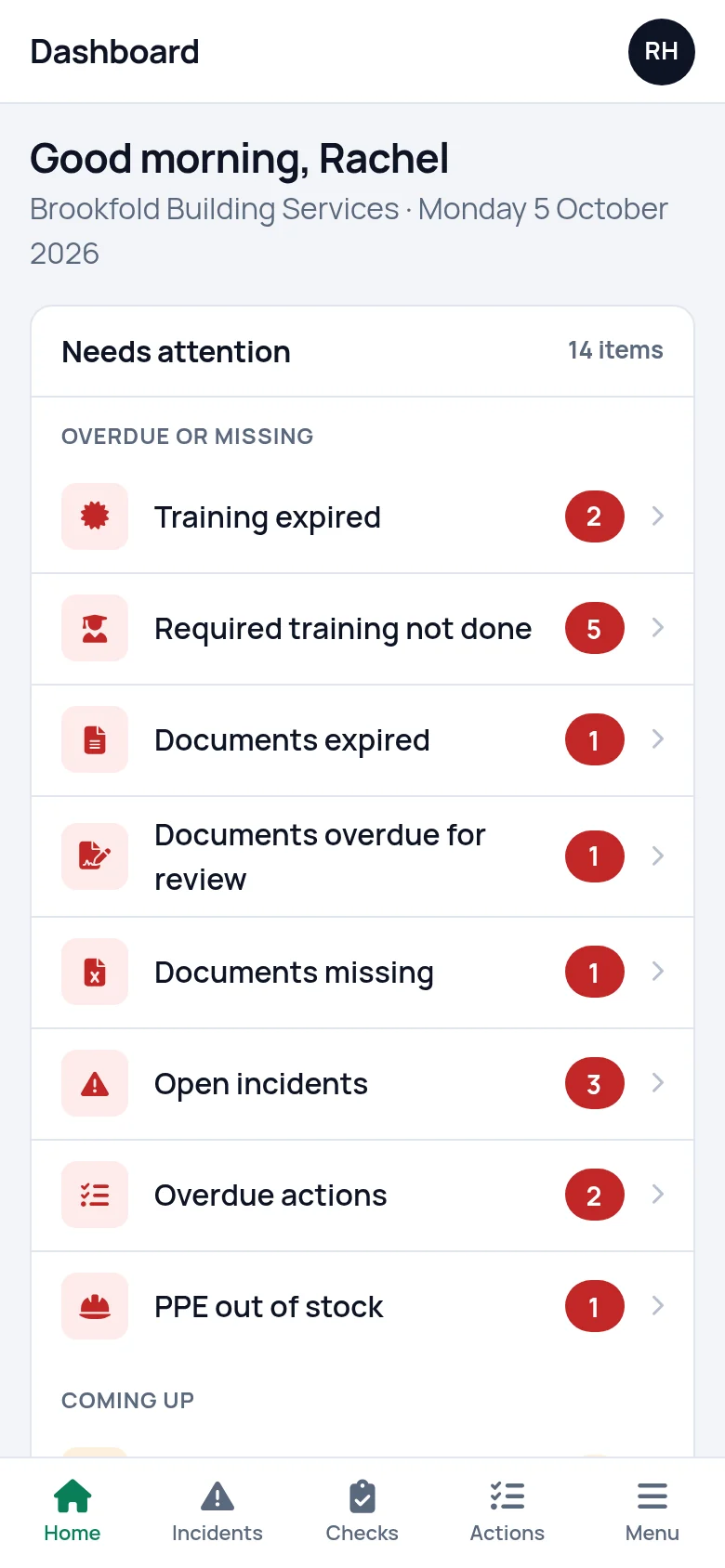
On a phone the screens rearrange themselves into a single column and the buttons get bigger. A bar along the bottom keeps the things you do on site one press away: Home, Incidents, Checks, Actions and the full menu.
The first screen is the dashboard: one list of what is overdue, missing or coming up. Press a line to see what is behind it.
What you enter on the phone is in the account straight away. Whoever opens it in the office sees the same records. That goes for the smaller jobs too: taking a box of gloves off the PPE count, or ticking an action as done.
Report an incident where it happened
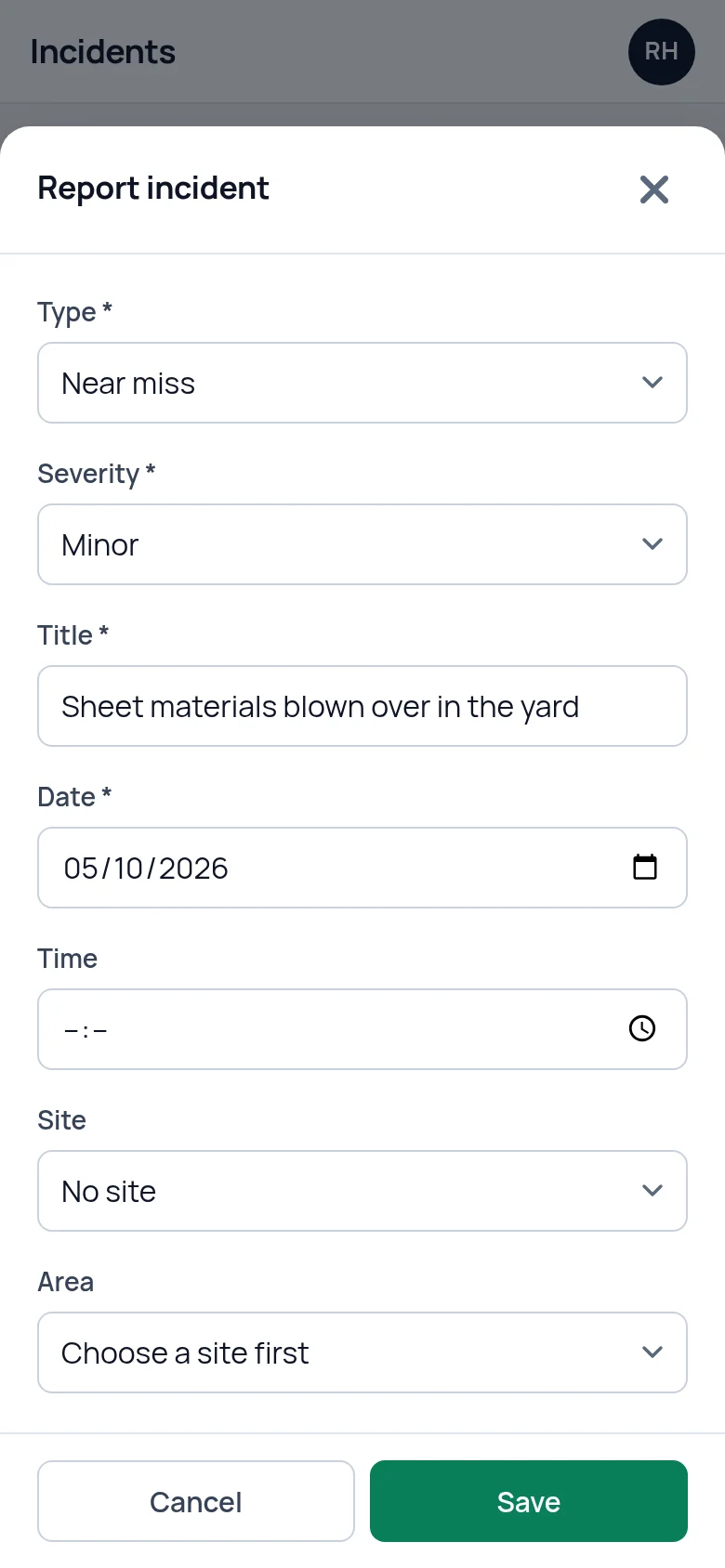
Press Report incident and the form opens with today's date filled in. Choose the type (accident, near miss, dangerous occurrence and so on) and the severity, give it a title and say what happened. That is enough to save it.
If someone was hurt, record who, the injury, whether first aid was given and whether they went to hospital. Witnesses and the root cause can be added later, from the phone or from the office.
The Save button stays at the bottom of the screen as you scroll, and each report is given its own reference number.
Run a check with your thumb
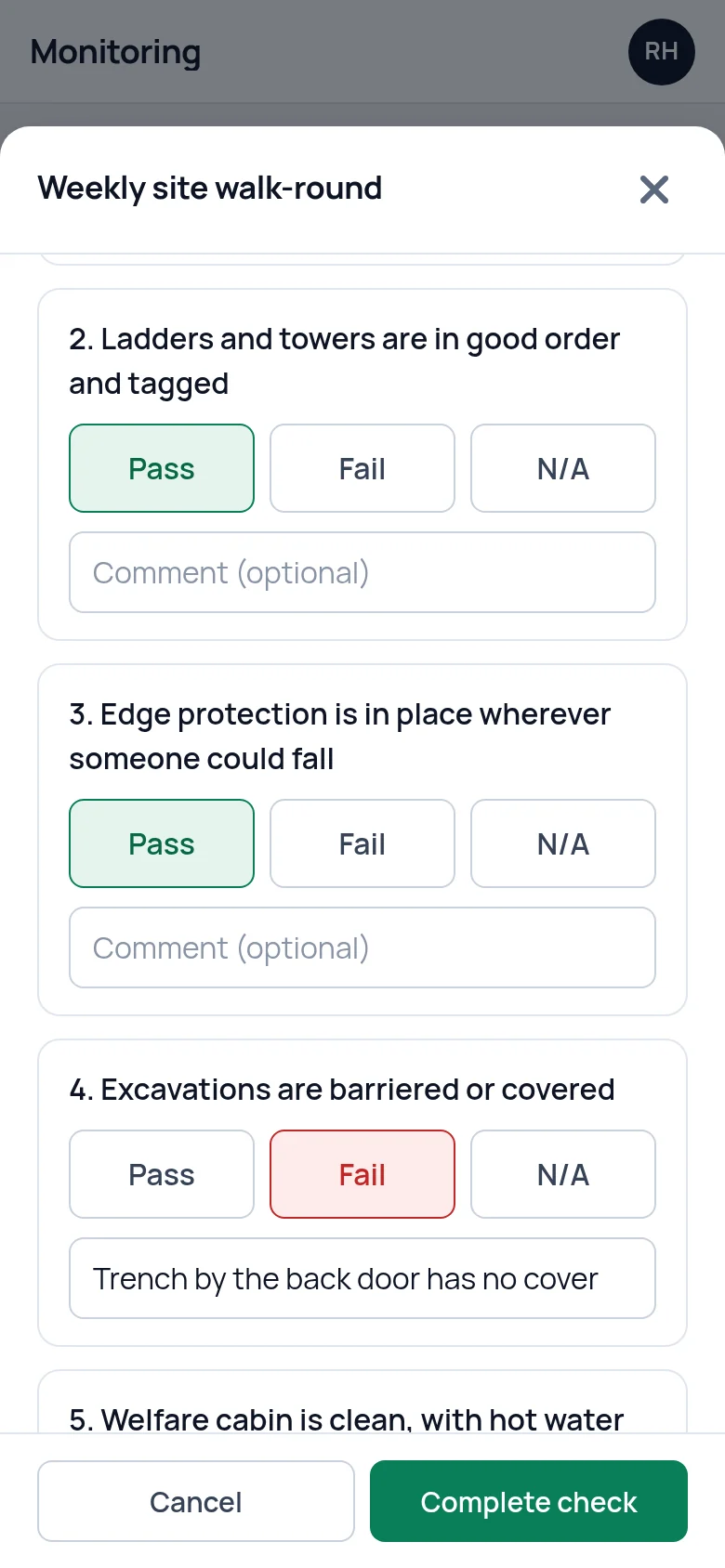
Pick a checklist, press Start check and work down the questions. Yes, No, Pass, Fail and N/A are large buttons. Each question has room for a comment, which is where the detail of a fault goes.
Every question has to be answered before the check can be completed. If one is missed, the app shows which and takes you to it. The check is then kept with its score, the date and time and who did it.
Close a half-finished check and the app asks first, because the answers given so far are not kept.
Record a toolbox talk and who was there
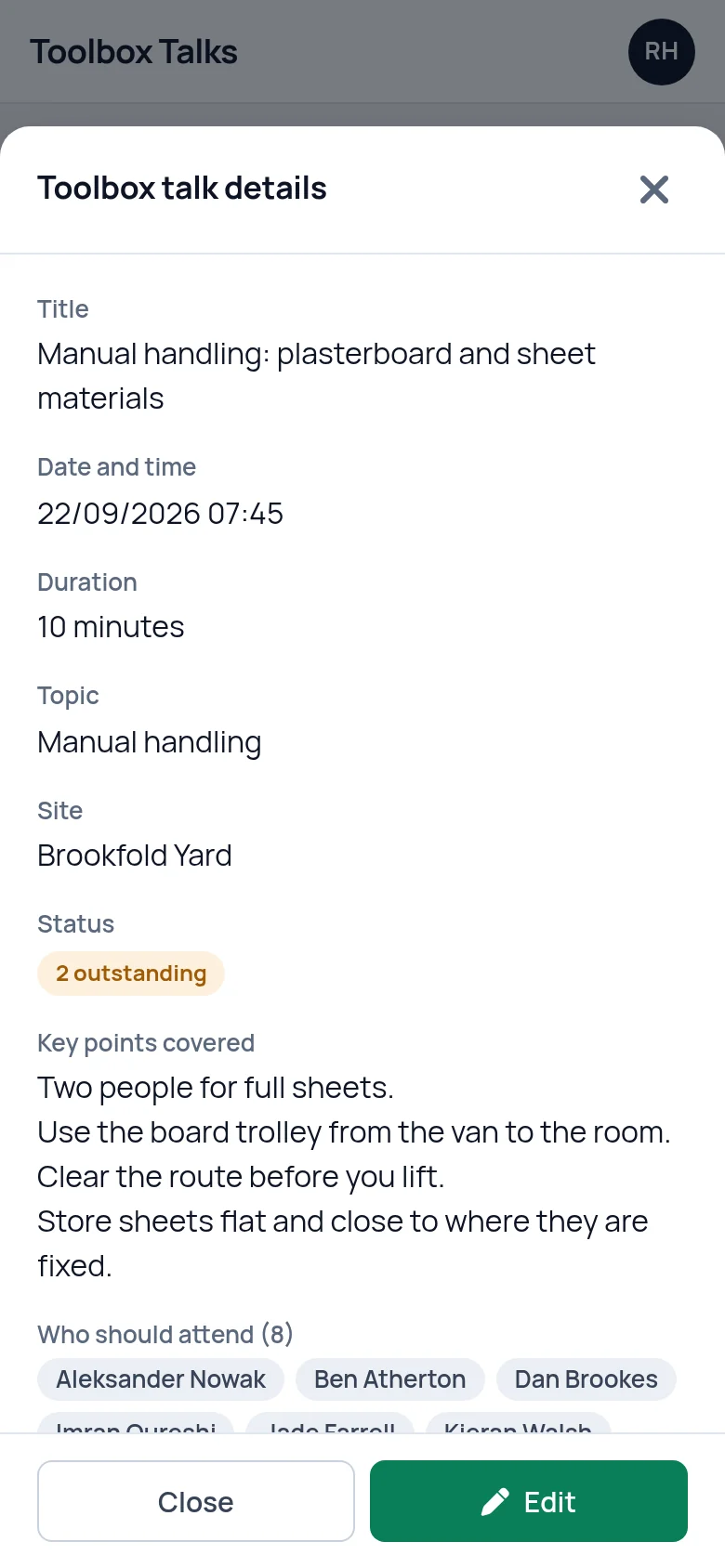
Record the talk while everyone is still standing in front of you: the title, the topic, the date and time, how long it took and the key points covered.
Tick who should have attended, which you can narrow by role, then tick who did. One button copies the first list into the second, so you only untick the people who were missing. Anyone who should have been there and was not goes on the outstanding list. When they have caught up, press Mark received against their name and they come off it.
Check the training matrix before you send someone
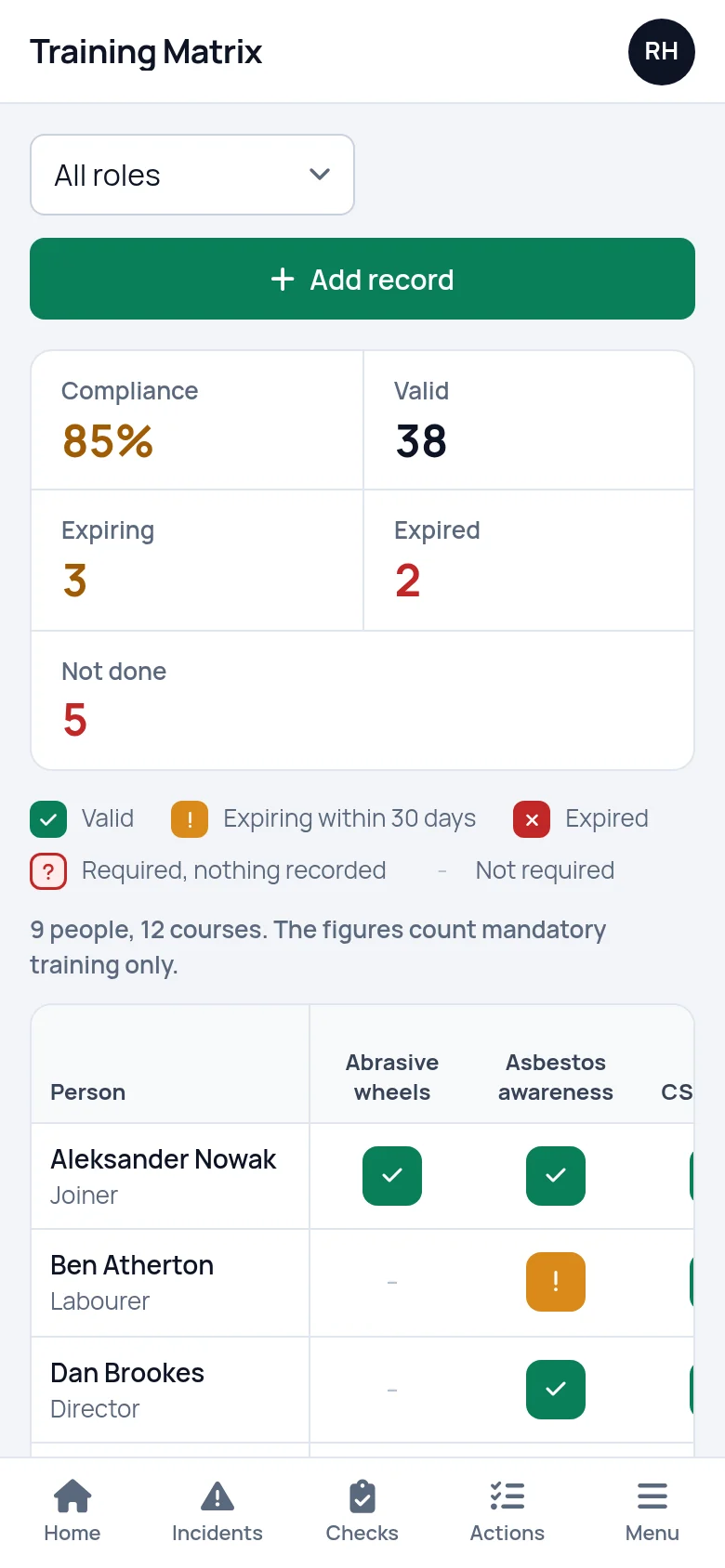
The training matrix opens on a phone too. People run down the side, courses run across the top, and the table scrolls sideways. Each cell shows whether that person's training is in date, runs out within 30 days, has expired, or is required and has nothing recorded. Filter by role, and by site if you have more than one, to shorten the list. A compliance percentage sits above the table.
It answers the question that comes up at the gate: is this person's ticket in date.
It needs a connection
SafetyPro360 does not work offline. Every screen is loaded from your account and every record is saved to it, so the phone needs mobile signal or wifi.
A report or a check is saved at the moment you press Save or Complete check. If the signal has gone, the save fails and the app says so. Nothing has been stored until it goes through.
On a site with no coverage, make a note and enter it when you are back in range.
What it does not do
- It is not in the App Store or on Google Play. It opens in the browser on your phone, and you log in the same way as on a computer.
- It does not work offline. The phone needs signal or wifi to open a screen and to save a record.
- It does not send notifications, emails or texts. What is overdue, missing or coming up is on the dashboard when you log in.
- It does not take photos, signatures or QR code scans. A photo can be uploaded as a document. Attendance at a toolbox talk is ticked, not signed.
Questions people ask
Is SafetyPro360 in the App Store or on Google Play?
No. It is a web app: you open it in the browser on your phone and log in. There is nothing to install and nothing to update, and it runs the same way on an iPhone, an Android phone, a tablet or a computer.
Does the app work offline?
No. It needs mobile signal or wifi to open a screen and to save a record. If you are somewhere with no coverage, make a note of what happened or what you checked and enter it when you are back in range. Your records are kept in your account, not on the phone.
Can I put it on my home screen?
Your phone's browser can add a shortcut to any web page to the home screen, and that works for SafetyPro360 too. It gives you an icon to press, but it is still the website opening in the browser, so it needs a connection like any other page.
Is it the same as the version on a computer?
Yes. It is one account and one set of records. The screens are laid out in a single column on a phone, with larger buttons and a bar along the bottom for Home, Incidents, Checks and Actions, but nothing is left out and nothing is kept separately.
Do the people on site each need a login?
Records are entered by whoever is logged in. The people on your staff list are records, not logins: they do not log in to see their own training or to report something. Agree who on site has a login and enters incidents, checks and toolbox talks for the team.
What can I do from a phone?
Everything you can do at a desk. The jobs it is laid out for are the ones that happen on site: reporting an incident, running a check, recording a toolbox talk and its attendance, adjusting PPE stock, ticking off an action and looking up the training matrix.
Have the answer ready before anyone asks.
Add your people, the training each role needs and the documents you hold. From then on, what is overdue or missing is on one screen.
14 days free, then from £9.99 a month, with no card needed to start.