
Health and safety spreadsheet or software: an honest comparison
A spreadsheet is a sound way to keep health and safety records for a handful of people. Here is where it holds up, where it starts to slip, and what health and safety software for a small business changes and does not.
14 days free, then from £9.99 a month, with no card needed to start.

When a spreadsheet is enough
For a handful of people in one place, a spreadsheet does the job. If one person owns the file and opens it on the same day every month, your training matrix can live in Excel for years.
That is why we give ours away. The free training matrix template has the colour rules already built: green in date, amber within 30 days, red when expired or needed and not done. There is no sign-up. If it covers what you need, use it. You do not need us.
A spreadsheet also does two things better than SafetyPro360. It prints, and it can be emailed as a file. If your customers want a document sent to them, that matters.
Where a spreadsheet starts to fail
There is no headcount at which it breaks. The signs are practical ones.
- More than one person updates it, and the copies start to differ.
- You found out a ticket had lapsed because somebody asked to see it.
- New starters are on the payroll for weeks before they appear on it.
- A blank square might mean "not needed" or might mean "forgotten", and nobody can tell which.
- The training is in one file, the accident book in a drawer, the checks on a clipboard and the insurance certificate in somebody's inbox.
None of this is the spreadsheet's fault. It is a grid that stores what you type. It does not know what each job needs, and it keeps one date in each square.
What changes: the requirement is written down
In SafetyPro360 each role lists the training it needs. Give a person a role and the gaps work themselves out. A required course with nothing recorded shows as a question mark, without anyone having to remember to type NEEDED.
Expiry dates are worked out as well. You enter the date a course was completed, and the date it runs out comes from how long that course lasts. In a spreadsheet, a date that is a year out looks the same as a correct one.
- Each role carries its required training
- Expiry dates worked out from the course
- Missing training is marked, not left blank

What changes: nothing is overwritten
A spreadsheet square holds one date, so a renewal wipes out the certificate before it. Here a renewal is a new record, and the old one is kept and marked "Replaced".
Leavers are marked as left, not deleted. Their records stay readable and stop counting towards your figures.
There is one copy, in your account, and an activity log lists what was changed, by whom and when. Nobody has to work out which version of the file is the right one.

What changes: more than training, and it goes on site
Training is one record of several. The same account holds your documents with their review dates, incident and near miss reports, inspection checklists, toolbox talks with attendance, PPE stock and actions. One list on the dashboard shows what is overdue or missing across all of them.
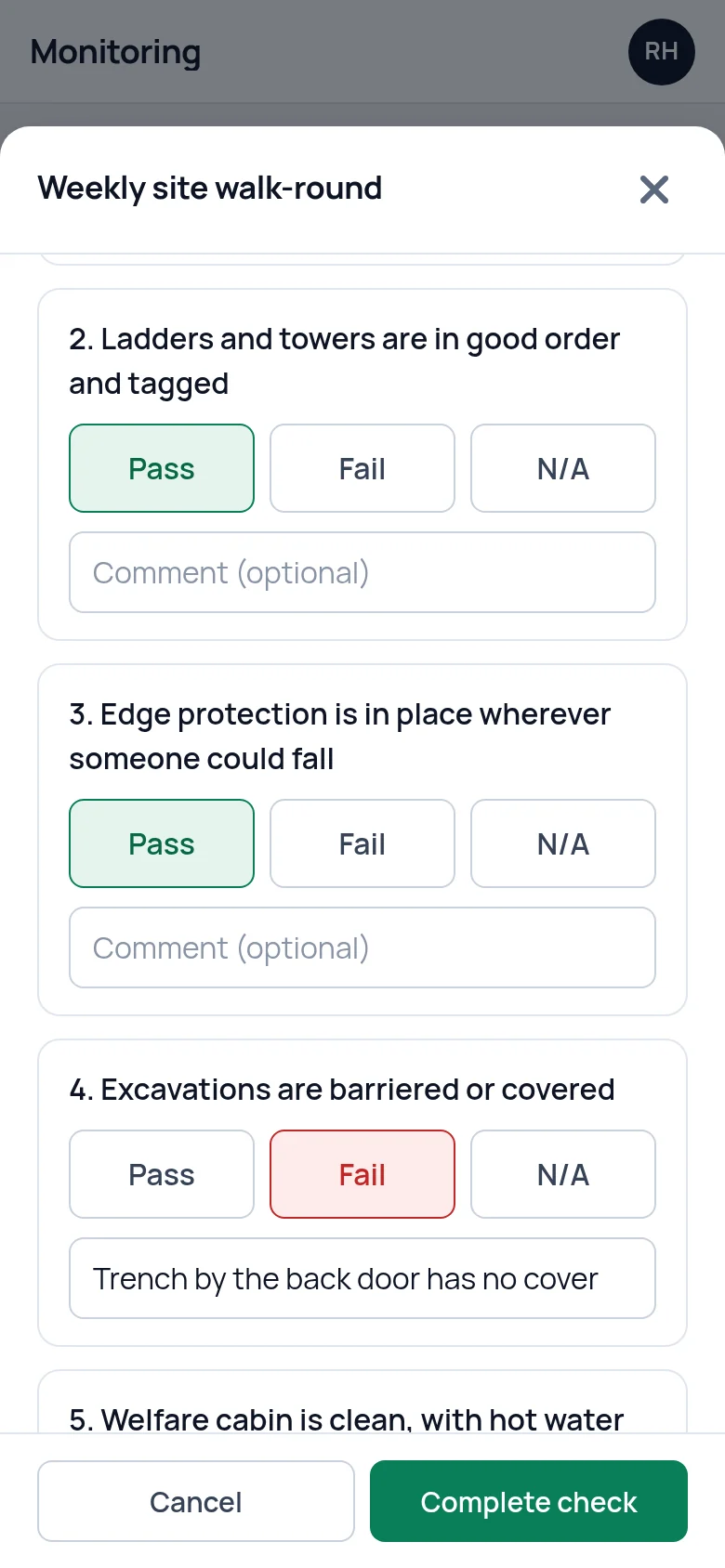
The records that are made on site are made on a phone: a near miss reported where it happened, a check run beside the thing being checked. A spreadsheet opens on a phone too, but it was not made to be filled in there.
Side by side, and what does not change
| Spreadsheet | SafetyPro360 | |
|---|---|---|
| Expiry dates | You add the months and type the date | Worked out from the course, and you can overrule it |
| What each role needs | Somebody remembers | Set once on the role |
| A renewed certificate | Overwrites the old date | The old one is kept as replaced |
| Someone leaves | Row deleted or moved by hand | Marked as left, records kept |
| Who changed what | No record | Activity log |
| Other records | A separate file or folder for each | One account, one list of what needs attention |
| Reminders | None | None by email or text. The list is there when you log in |
| Sending a copy | Print it or email the file | No PDF or report export. Shown on a screen |
| Cost | Free | See the pricing page |
What does not change
Software does not keep itself. Someone still enters the certificate when the course is done, and someone still has to look at the list. SafetyPro360 sends no reminders, so a named person and a day in the diary matter as much as they did with the spreadsheet.
Nor does it decide anything. Which training each job needs, what your risk assessments say and what to do after a near miss are yours to settle, whichever you use. Both are records of what you have done. Neither one makes you compliant.
Questions people ask
Is a spreadsheet good enough for health and safety records?
For a handful of people on one site, yes, as long as one person owns the file and opens it on a set day each month. What matters is that the record is true and up to date, not what it is kept in. Our free Excel training matrix template is made for that case.
When should a small business move from a spreadsheet to software?
When the spreadsheet stops being true. The usual signs are a certificate that lapsed without anyone noticing, a new starter missing from the matrix, two versions of the file that disagree, or records spread across several files and a paper folder. There is no number of staff at which it becomes necessary.
Can I start with your free template and move to SafetyPro360 later?
Yes. The template is free and needs no sign-up. If you move later there is no import, so you add your people, roles and courses and type in the completion date of each certificate. The expiry dates are worked out as you go.
Does the software send reminders that a spreadsheet cannot?
No. SafetyPro360 does not send email or text reminders. What it does is work out what is expiring, expired or missing and put it in one list on the first screen you see when you log in. You still need a regular day to open it, as you would with a spreadsheet.
Can I export my records back to a spreadsheet?
No. There is no button to export to Excel or PDF, and records are read on the screen. If emailing a file or printing a matrix is essential to how you deal with customers, a spreadsheet does that better, and it is worth weighing before you switch.
What does health and safety software for a small business cost?
SafetyPro360 has three plans, each with every feature included. They differ in how many staff, sites and logins they cover, and the prices are on the pricing page. The Excel template is free. If a spreadsheet covers what you need for now, the right amount to spend on health and safety software is nothing.
Have the answer ready before anyone asks.
Add your people, the training each role needs and the documents you hold. From then on, what is overdue or missing is on one screen.
14 days free, then from £9.99 a month, with no card needed to start.